Download · v4.1.0 · 05 Nov 2026
Get airborne.
Free, for DCS World with the F-16C Viper module. One required package, one optional livery pack, a Downloader that fetches both — and an optional installer that puts them in place.
Before you start
DCS World
With the official DCS: F-16C Viper module installed.
Windows
The Downloader and installer are Windows apps.
OvGME
Mod manager used to enable the DCS-root packages.
Multicrew
Both players on the same mod version, on a server that supports it (e.g. Pixel Storm).
01Where to get it
Four ways in.
- Recommended
DCMii Downloader
Small Windows app that pulls the Main and Liveries packages from DCMii's release storage. It's manifest-enabled: new releases are detected automatically, so you never need a new Downloader for an update.
Windows · .exe · hosted on GitHubDownload the Downloader - Optional · new in 4.1.0
DCMii Sufa Installer
Not a download of the mod — it installs the ZIPs you already have. Point it at your Main ZIP and it places the packages in OvGME, the scripts in Saved Games and, if you want, the liveries.
DCMii_Sufa_Installer.exe · Google Drive & DiscordGet it on Google Drive - Source of truth
GitHub
Releases, the Downloader, PDF guides, license and credits. Every public version is tagged here.
github.com/DCMii-viper/DCMiiOpen releases - Mirror
Google Drive
Direct download of the Main and Liveries ZIPs — plus the DCMii Sufa Installer.
drive.google.comOpen the Drive folder
02Downloader vs. installer
Two tools, two jobs.
The Downloader gets the files, the installer puts them in place. Use both, or skip the installer and do the folder work yourself — manual installation is fully supported.
DCMii Downloader
Gets the files.
- Fetches the Main and Liveries ZIPs from DCMii's release storage (Cloudflare R2)
- Manifest-enabled: detects the latest release automatically — no re-download needed
- Only downloads. Google Drive and GitHub are alternatives
DCMii Sufa Installer · optional
Puts them in place.
- Not standalone: works with the ZIPs from the Downloader or Google Drive
- Extracts the Main ZIP and places the mod packages in your selected OvGME repository (DCS-root config)
- Detects your Saved Games profile, installs the multicrew scripts and, if selected, the liveries
- Afterwards you enable the packages in OvGME — same as after a manual install
03Packages
What's in the box.
V4.1.0 DCMii-Project F-16 Sufa Main.zip
The aircraft, sounds, optional weapon/targeting packages and the crew scripts. Two destinations: your OvGME repository and Saved Games.
V4.1.0 DCMii-Project F-16 Liveries.zip
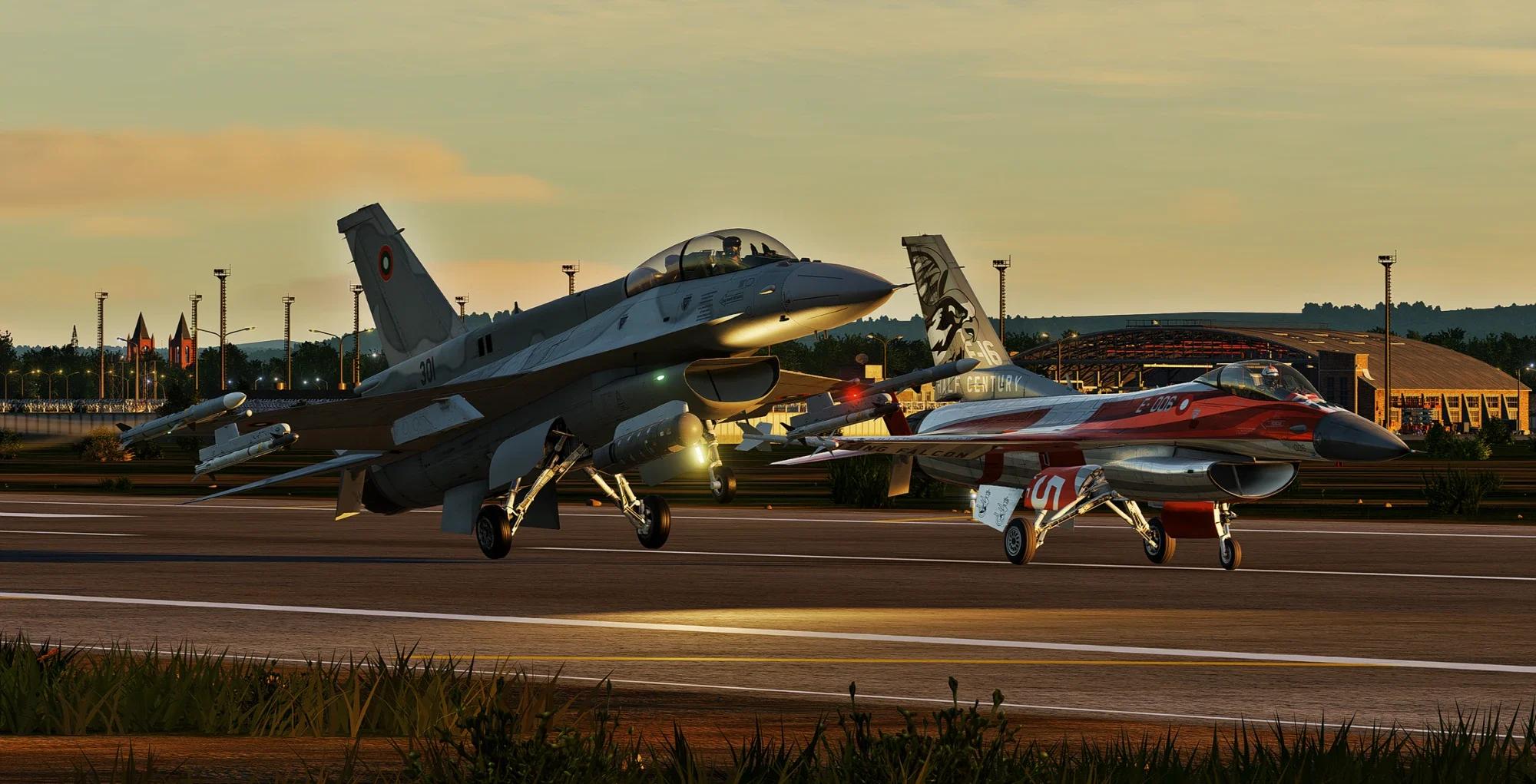
Israeli, Bulgarian, Hellenic and Moroccan-themed schemes for the single- and two-seat aircraft. Goes into Saved Games — not OvGME.
04Installation
OvGME + Saved Games, step by step.
Ten minutes, once. If anything looks different on your machine, the Installation Instructions PDF has the same steps with more detail.
- 01
Close DCS and clean up
Close DCS, disable older DCMii packages in OvGME and back up any personal edits before replacing files.
- 02
Extract the nested ZIPs
The Main Package contains two more ZIPs: DCS_ROOT.zip and SAVED_GAMES.zip. Extract those first — never drop the outer Main ZIP into DCS.
- 03
Put the DCS-root packages into OvGME
Extract DCS_ROOT.zip into the folder your OvGME DCS-root profile uses. Keep all five package folders side by side — don't merge them.
DCS-Mods/your OvGME repository (example)└─DCMii-Project-F-16I_Sufarequired└─DCMii-Project-F-16I Sufa PW-229 Soundsrequired└─DCMii-Project-AGM-154B└─DCMii-Project-Python-5└─DCMii-Project-Spice_2000 - 04
Enable what you want
With DCS closed, enable F-16I_Sufa and PW-229 Sounds in OvGME. The AGM-154B, Python-5 and SPICE 2000 packages are independent — enable only those you want. (The old Advanced Targeting package is gone since V4.1.0 — the Sniper ATP is now the native DCS pod; disable and remove it if you still have it.) Opening a package folder should show DCS folders like Mods, CoreMods and Scripts, not another copy of the same folder.
- 05
Merge the crew scripts into Saved Games
Extract SAVED_GAMES.zip and merge its Scripts folder into the Saved Games profile your DCS actually uses (DCS, DCS.openbeta or a custom one). These scripts drive the multicrew communication. Avoid ending up with Scripts/Scripts.
C:/Users/<you>/Saved Games/DCS/└─Scripts/from SAVED_GAMES.zip - 06
Optional: add the liveries
The Liveries package is not an OvGME package. Merge its top-level Liveries folder into the same Saved Games profile.
Saved Games/DCS/└─Liveries/└─F-16C_50/ single-seat schemes└─F-16D_50/ two-seat schemes - 07
Check and fly
Start DCS, look for the F-16CM, F-16D / Barak and F-16I Sufa entries, try a livery and start a simple mission. For multicrew, both players need identical DCMii files — including the Scripts — and a server that supports DCMii.
05Documentation
The PDFs.
Official guides, hosted on GitHub. The v4.0.0 guides still apply to v4.1.0 — installation and usage haven't changed. New guides come with major versions.
- PDF · 4 pp
Installation Instructions
Folder layout, OvGME packages, Saved Games scripts and liveries.
v4.0.0 ↗ - PDF · 6 pp
Beginner's Guide
Variants, terminology, flying as a crew and the cold start.
v4.0.0 ↗ - PDF · 6 pp
Feature Reference
System-by-system index of what is synchronized — and what is not.
v4.0.0 ↗ - PDF · 3 pp
Changelog
The V4.0.0 release notes as a printable document.
v4.0.0 ↗
06Troubleshooting
Something off?
The usual suspects. Still stuck? Ask on Discord — bring your dcs.log.
- OvGME package missing
- Check the repository profile and remove extra nested wrapper folders.
- No multicrew sync
- Both clients must run the same build and the same Saved Games Scripts.
- Liveries missing
- Check the active Saved Games folder and avoid Liveries/Liveries nesting.
- Kicked by Integrity Check
- Some servers reject DCS-root modifications — use a server that supports the mod, such as Pixel Storm.
- Old installer won't download
- Downloaders older than 3.2.0 can't fetch current releases. Get the latest one.